
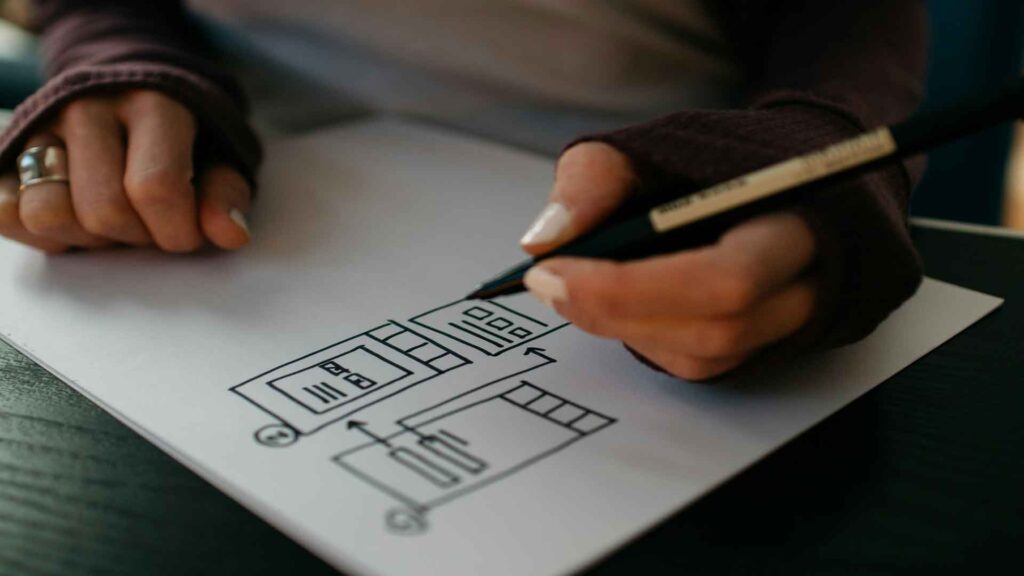
When users land on your website or app, their first interaction often dictates whether they stay or go. Intuitive navigation isn’t just a nicety; it’s the backbone of a positive user experience. As developers and designers, our goal is to create pathways that feel natural, almost invisible, guiding users effortlessly to their desired information or action.

What Makes Navigation Intuitive?

Intuitive navigation anticipates user needs and provides clear, consistent signposts. It’s about minimizing cognitive load and maximizing efficiency. Here are some core principles:

  1. Clarity and Consistency:

    • Labeling: Use clear, concise, and universally understood labels for your navigation items. Avoid jargon or overly clever terms that might confuse users. “About Us” is generally clearer than “Our Journey.”

    • Placement: Stick to conventional placements for navigation elements (e.g., top header for primary navigation, footer for secondary links). Users expect to find things in certain places, and deviating from these norms can lead to frustration.

    • Visual Hierarchy: Use size, color, and spacing to differentiate primary, secondary, and tertiary navigation elements. Make it easy for users to distinguish between categories and subcategories.

  2. Simplicity and Minimalism:

    • Less is More: Avoid overwhelming users with too many options. Prioritize the most important links and consider using dropdowns or accordions for less critical information.

    • Clean Design: A cluttered navigation menu can be a major turn-off. Use whitespace effectively to make elements stand out and improve readability.

  3. Feedback and Affordance:

    • Hover States: Provide visual feedback when a user hovers over a navigation link, indicating that it’s clickable.

    • Active States: Clearly show which page the user is currently on within the navigation menu. This helps users orient themselves and understand their location within the site structure.

    • Breadcrumbs: For multi-level sites, breadcrumbs (e.g., Home > Category > Subcategory) are excellent for showing the user’s path and allowing them to backtrack easily.

Practical Tips for Implementing Intuitive Navigation

  • User Research: Don’t guess what users want; ask them! Conduct card sorting exercises or tree testing to understand how users naturally categorize information.

  • Mobile-First Approach: Design your navigation for mobile devices first. The constraints of smaller screens force you to prioritize and simplify, which often leads to better desktop experiences too. Think about hamburger menus, bottom navigation bars, and swipe gestures.

  • Testing, Testing, Testing: Always test your navigation with real users. Observe where they struggle, what they misunderstand, and what works well. A/B testing different navigation layouts can provide valuable data.

  • Accessibility: Ensure your navigation is accessible to everyone. Use proper semantic HTML, provide clear focus states for keyboard navigation, and consider screen reader compatibility.

The WordPress Angle

For WordPress developers, themes often come with robust navigation menus. However, you have immense flexibility with custom menus (wp_nav_menu), menu locations, and even custom walkers to create unique and intuitive navigation patterns. Plugins like Mega Menu can extend functionality for complex sites, but always remember to keep the core principles of clarity and simplicity in mind.

By prioritizing intuitive navigation, you’re not just making a website; you’re crafting an experience. You’re reducing frustration, improving engagement, and ultimately, helping your users achieve their goals – a win-win for everyone.

Review Title

There are many variations of passages of Lorem Ipsum available, but the majority have suffered alteration in some form, by injected humour, or randomised words which don't look even slightly believable. If you are going to use a passage of Lorem Ipsum, you need to be sure there isn't anything embarrassing hidden in the middle of text.
8.1

If you use this site regularly and would like to help keep the site on the Internet, please consider donating a small sum to help pay for the hosting and bandwidth bill. There is no minimum donation, any sum is appreciated - click here to donate using PayPal. Thank you for your support.

Pros
  • Pors Item One
  • Pors Item Two
  • Pors Item Three
  • Pors Item Four
  • Pors Item Five
Cons
  • Cons Item One
  • Cons Item Two
  • Cons Item Three
  • Cons Item Four
  • Cons Item Five

Leave a Reply

Your email address will not be published. Required fields are marked *